
When step loss or path deviation occur in belt-driven machineUpdated 3 months ago
For step loss and path deviation issues seen in the attached pictures on belt-driven models (Masuter Pro, Masuter 3, Masuter 3S), please troubleshoot by following below steps:
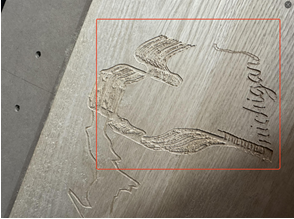
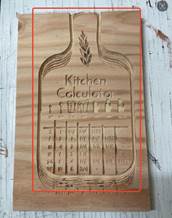
1. Check the belts
Please inspect the belt for excessive dust and clean it if necessary. Also check the belt for stretching, creases or dents. Refer to the video starting from 7:10 in the link below for guidance on adjusting belt tension:
https://www.youtube.com/watch?v=Gry_1mpoRc8&t=651s
2. Check belt synchronous pulleys
Check if the belts are centered on the pulleys without deviation. Refer to the attached picture for details.
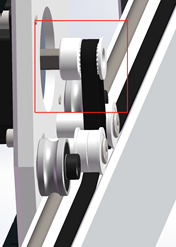
Additionally, adjust the bolts on both sides of the steel wheel as required. Ensure the steel wheel stays in contact with the rail and avoids free slipping. Finally, clean dust from the steel wheel and apply lubricant.
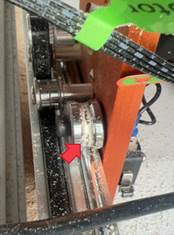
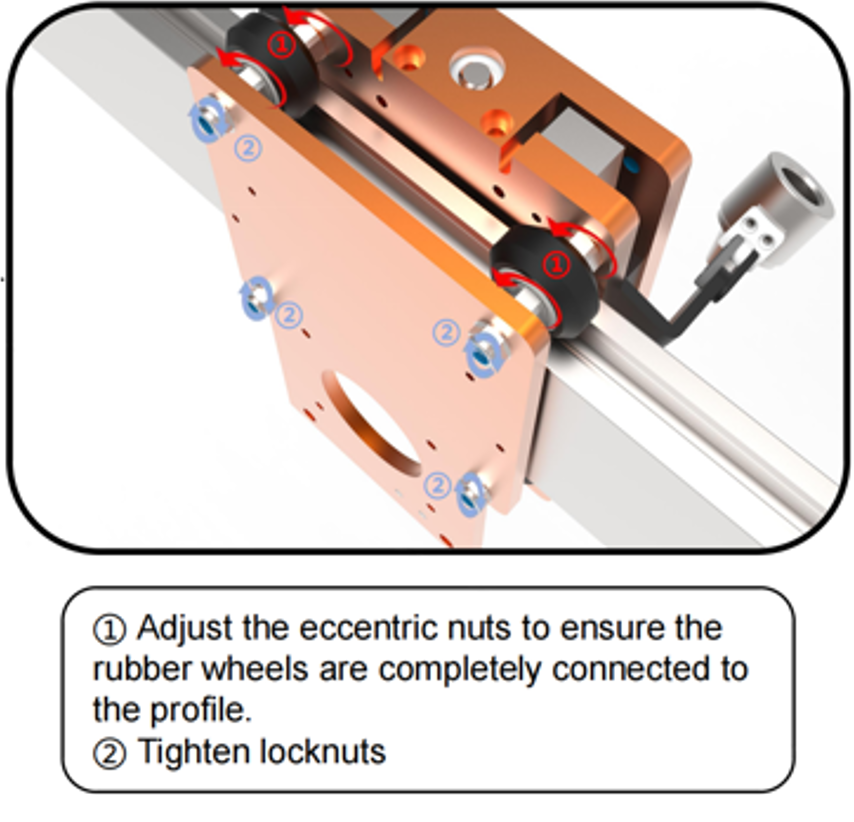
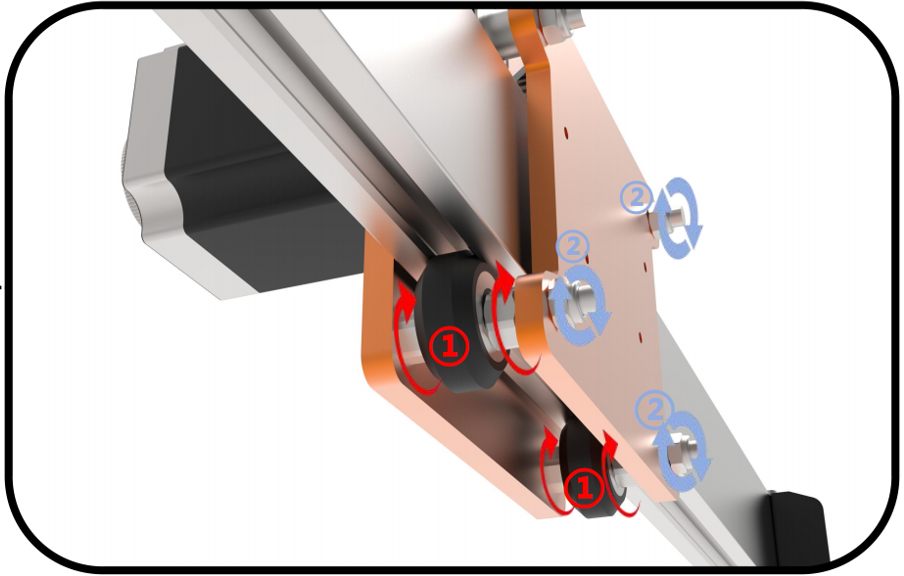
3. Check the eccentric nut.
For Masuter 3 and Masuter 3S: please refer to the video starting at 7:10. Adjust the eccentric nut accordingly: loosen it if overly tight, and tighten it if too loose.
https://www.youtube.com/watch?v=1x4gM_D-z0k&t=431s
For Masuter Pro: please refer to the below picture for adjustment.
4. Check the engraving settings
And for belt-driven machine, overly aggressive engraving parameters may result in stepper motor step loss or even cutter breakage. Kindly refer to our recommended parameters below to check if the machine can work normally:
Feed rate: 600mm/min (23.6")
Cutting speed: 300mm/min (11.8")
Cutting depth: 1mm/min (0.04")
If the issue persists after troubleshooting, please feel free to send an email to
We will assist you further and ensure the problem can be solved as soon as possible.